
Qustodio Parental Control App
Qustodio LLCParenting
3.61.38K Reviews
- Version
- 182.41.0
- Installs
- 10.00M
- Age Rating
- Everyone
Screenshots
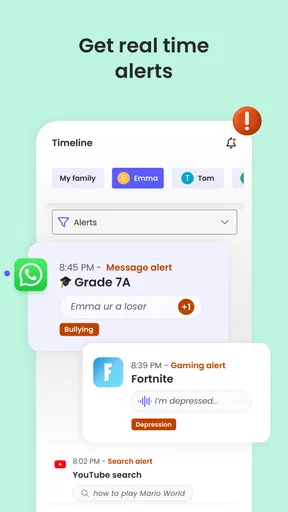
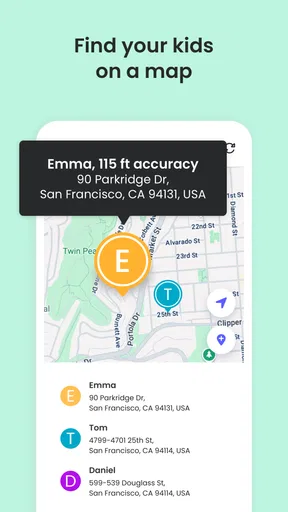
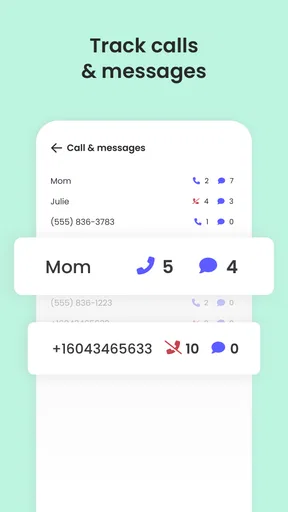
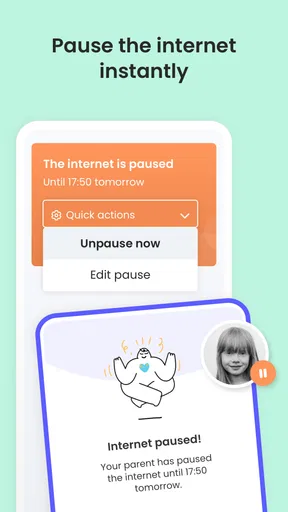
Our Review of Qustodio Parental Control App
 Analysis by Appyee
When I’m choosing a parental-control app, I want more than a timer: I want to know whether it helps me set sensible boundaries without turning family life into constant surveillance. Qustodio brings screen-time controls, app and web management, and location tools together, so it can suit parents who want one place to handle several kinds of digital oversight. It is a Parenting app from Qustodio LLC, and I’d treat it as a practical aid for conversations and routines, not as a substitute for either.
Start with the family’s actual needs
Before setting anything up, I’d decide which problem I’m trying to solve. If the main concern is a child staying up with a device, time limits may be the useful starting point. If the concern is what they encounter online, filtering and activity reports matter more. Location tracking is a separate choice: it can help with ordinary check-ins, but not every family needs it turned on.
This distinction is worth making because a control that is useful in one household can feel intrusive in another. I’d explain the rules to a child before applying them and agree on when limits are in effect. That gives the app a clearer role: it supports a plan the family understands rather than silently enforcing rules nobody has discussed.
Getting Started with Qustodio
First things first, setting up Qustodio was a breeze. You start by creating a parent account, which is your command center. From there, you can add profiles for each of your kids, and let me tell you, it’s pretty intuitive. The app guides you through everything like a friendly neighbor who knows all the tech tricks.
Once you have the profiles set up, you install the app on your child's device. It works on Android, iOS, Windows, and even Kindle—yeah, they’ve got all the bases covered. The installation process is straightforward, and the app provides clear instructions to ensure every step is as smooth as a walk in the park.
For a parent managing more than one child, profiles are more than a setup convenience. They make it easier to think about each child’s routines separately rather than assuming one set of limits will suit everyone. I’d take a moment to check that each profile is associated with the right device before relying on reports; otherwise, it is easy to misread whose activity you are looking at.
Features That Make a Difference
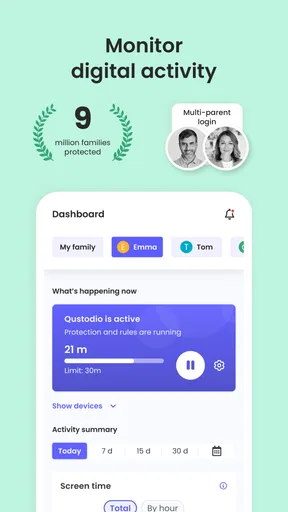
So, what can you actually do with this app? Quite a lot, actually. The dashboard is your one-stop-shop to monitor and manage all the devices. You can see what apps your kids are using, how much time they’re spending, and even set time limits. It’s like having a virtual nanny that keeps an eye out 24/7.
One feature I really appreciated was the web filtering. You can block inappropriate content and customize the filtering levels. It’s like having a bouncer at the door of the internet, making sure only the good stuff gets through. Plus, you get reports on web activity, which is pretty handy if you want to have a chat with your kids about online safety.
The app also lets you track your kid’s location in real time. Now, you might think that’s a bit much, but for those moments when they’re late coming home, it’s a lifesaver. It’s like having a GPS on your kid—but less creepy, I promise!
A useful way to approach the dashboard is to look for patterns rather than react to one entry. A burst of app use on a rainy afternoon may call for a different response from a habit that regularly pushes homework or sleep aside. I’d use reports to open a calm conversation—asking what an app is for, for example—instead of treating every item as evidence of a problem.
Filtering also works best as a layer, not a guarantee. Families can review settings together and revisit them as a child gets older or their online activities change. If a site or app is blocked unexpectedly, checking the relevant settings first can prevent a rule meant for one concern from getting in the way of a legitimate school task.
Easy to Use and Understand
Despite all these features, I found the app surprisingly easy to use. The interface is clean and well-organized. You don’t need a degree in computer science to figure it out, which is a big plus in my book. The design is intuitive, and everything is just a click or two away.
There’s also a handy feature for SOS alerts. If your kid is in trouble, they can send an alert with their location. It’s one of those things you hope you never need, but it’s reassuring to have it there just in case. It’s like carrying an umbrella on a sunny day—it might rain, and you’ll be glad you have it.
For an everyday example, imagine a child taking a phone to school and then heading to an after-school activity. A parent could use location as a practical check-in when plans run late, while keeping screen limits focused on home routines. That separation matters: not every feature needs to be used all the time, and a family can keep the parts that solve a real problem while leaving the rest out of the daily routine.
Where it fits—and where another approach may be better
Qustodio is most appealing if you want several kinds of oversight in one parenting app: time management, web and app controls, and location tools. Compared with using a device’s built-in screen-time settings alone, that broader mix can be more convenient for a parent who wants activity visibility and location in the same general workflow. Built-in controls may still be the better fit if you only need a simple device limit and prefer not to add another app.
Other families may prefer a narrower approach. A household chiefly concerned with agreeing on bedtime might get enough from a basic timer, while parents who want to teach online judgment through discussion may choose lighter monitoring. Neither choice is automatically better. The right level depends on the child’s age, independence, and the specific concern; more visibility is not always more useful.
I would also avoid treating the location feature as a replacement for communication. It can help answer a practical question about where a child is, but trust comes from clear expectations about when tracking is used and why. If a child is old enough to understand the arrangement, explaining it openly is a better starting point than making monitoring feel like a secret test.
Some Thoughts to Consider
Now, no app is perfect, right? While Qustodio packs a punch with its features, there are a few things to keep in mind. The free version is quite limited, so if you want the full experience, you’ll need to shell out for a premium plan. However, considering the peace of mind it offers, it might just be worth the investment.
Another thing to note is that kids these days are tech-savvy. While the app does a great job of monitoring, some clever kiddos might find workarounds. So, it’s always a good idea to combine tech solutions with good old-fashioned conversations about internet safety.
The app is free to download, while in-app purchases range from $34.99 to $137.95 per item. I’d check the available plan and its terms before committing, then compare that cost with what the family will actually use. If location and monitoring are not priorities, paying for a broader toolkit may not make sense; a simpler built-in option could be enough.
There is also a small but important switching cost in the family routine, not just in money. Parents need to set rules, explain them, and decide how often to review activity. If you later move to another control method, revisit those agreements instead of assuming the old limits or expectations will carry over. This keeps the change from becoming a surprise confrontation.
On Google Play, the app has a 3.6 average from around 22,000 ratings and over 5 million installs. I’d read that as evidence that many families have tried it, not as a promise that it will behave identically on every child’s device. Compatibility and day-to-day fit matter more than popularity, so I’d begin with one clear goal and see whether the controls help with it.
It is rated for Everyone, was released on September 30, 2020, and the current version is 182.32.0, with Android 7.0 as the minimum operating system. Those details make it easier to judge whether an Android device is a plausible candidate, but I’d still check the device and app setup before building a family routine around it. The main practical question is whether the child’s devices and the household’s expectations match the way you plan to use the controls.
Who I’d recommend it to
I’d consider Qustodio for parents who want a central place to review app use, set limits, manage web access, and use location tools when appropriate. It may be especially handy when different children need different routines or when a parent wants reports to guide a conversation. I’d skip it if the goal is only a very basic bedtime limit, if the family strongly prefers minimal monitoring, or if nobody has time to maintain and explain the rules.
One practical tip is to start with the least restrictive settings that address the actual concern, then adjust after seeing how they work in everyday life. A rule that blocks a needed activity or creates repeated arguments is a sign to revisit the setup, not simply tighten it. That approach makes the app more of a family tool and less of a referee.
Final Thoughts
All in all, Qustodio is a solid choice for parents looking to keep their kids safe in the digital age. It’s packed with features, easy to use, and offers a comprehensive view of what your kids are doing online. While it’s not a substitute for open communication, it’s a fantastic tool to have in your parenting arsenal.
If you’re ready to take the plunge and give it a try, you can find the download links on our website. Happy parenting, and may your worries be few!
Privacy and Permissions
See what permissions an app requests and how it handles your data.
- Location
- approximate location (network-based), precise location (GPS and network-based)
- Other
- view network connections, full network access, control vibration, prevent device from sleeping, read Google service configuration
Verdict
Strengths of Qustodio Parental Control App
- Comprehensive monitoring tools.
- User-friendly interface.
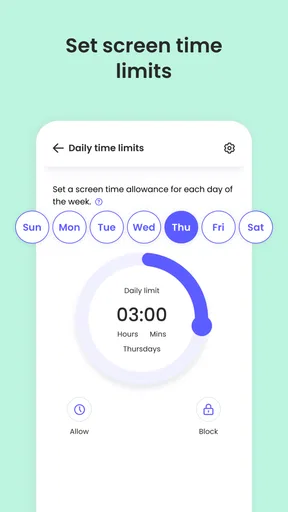
- Customizable time limits.
- Cross-platform compatibility.
- Detailed activity reports.
Limitations of Qustodio Parental Control App
- Limited features in free version.
- Occasional app crashes.
- Advanced features can be complex.
- High battery usage.
- Subscription can be pricey.
Similar Picks in This Category
View All
Family Space
Motorola Mobility LLC.3.9

شرطة الأطفال - مكالمة وهمية
Oub Apps4.1

Findmykids: Parental Control
LETEM LTD4.6

Pregnancy + | Tracker App
Philips Electronics UK Limited4.8

Policía de niños - para padres
Kids police4.7

Pregnancy App
Amila4.9
Frequently Asked Questions
What features does Qustodio Parental Control App offer?
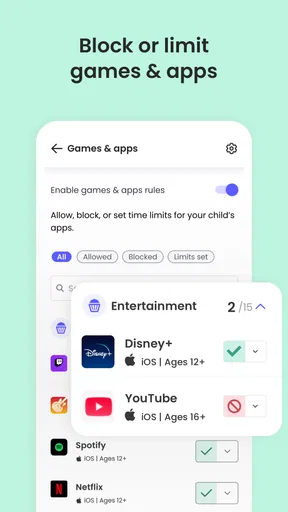
Qustodio Parental Control App provides a comprehensive suite of features designed to keep children safe online. It includes web filtering, screen time management, app blocking, and location tracking. Additionally, it offers social media monitoring and detailed activity reports, allowing parents to maintain a balance between safety and freedom for their children.
Is Qustodio compatible with all devices?
Qustodio is compatible with a variety of devices, including Android, iOS, Windows, Mac, and Kindle. This wide compatibility ensures that parents can monitor and manage their children's activities across multiple platforms. However, it’s important to check the specific system requirements for each device to ensure compatibility.
How does the app handle privacy concerns?
Qustodio takes privacy seriously by providing transparent data collection policies. The app encrypts data and requires consent for monitoring, ensuring that all activities are secure and private. Parents can review the privacy policy directly within the app to understand how data is used and stored, maintaining transparency and trust.
Can Qustodio help manage screen time effectively?
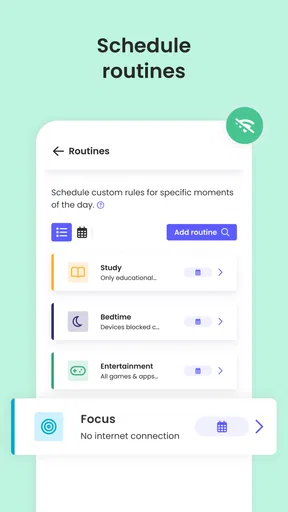
Yes, Qustodio offers robust screen time management tools that allow parents to set daily limits and schedule device-free times. These features help promote a healthy balance between screen use and offline activities, providing notifications and alerts to both parents and children to adhere to the set limits effectively.
Is there a cost associated with using Qustodio?
Qustodio offers both a free version and a premium plan. The free version includes basic features, while the premium plan unlocks additional functionalities such as advanced reporting, more device connections, and extended monitoring capabilities. Pricing for the premium plan varies, and users can choose a subscription that fits their needs.
